RDP full form: Remote Desktop Protocol. A “protocol” is a set of rules two computers follow to talk to each other. This guide is about computers. RDP can also mean other things, like a medical term or a bank scheme — those are not covered here.
How RDP works
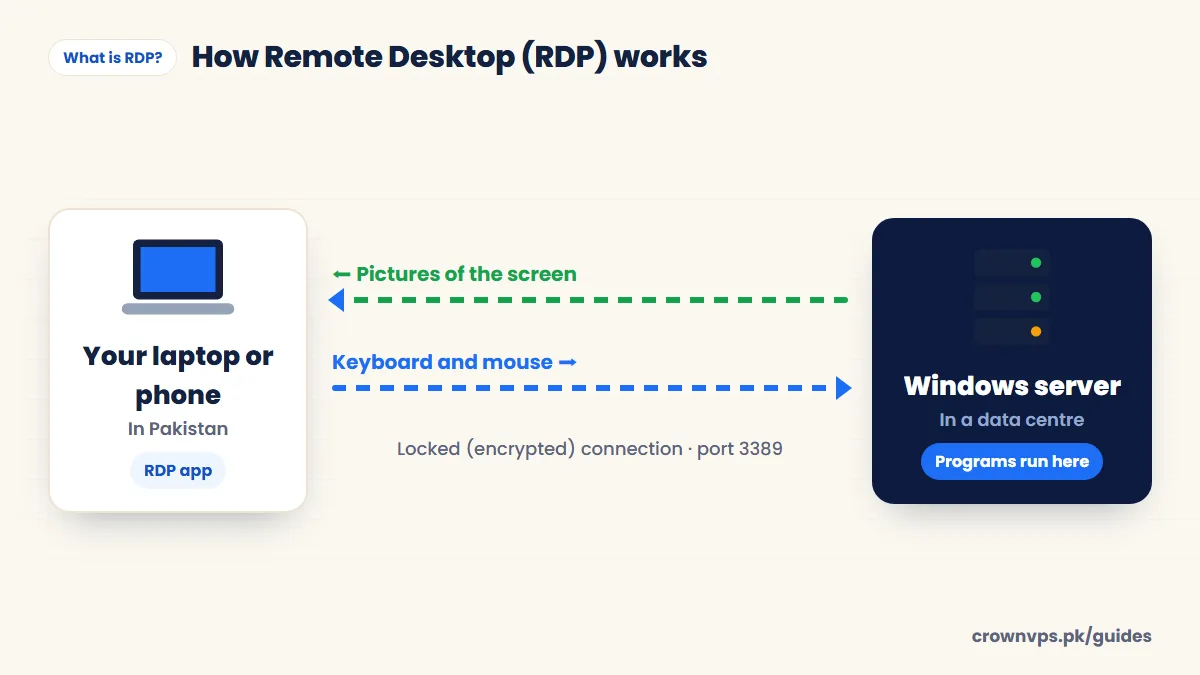
The far-away computer runs an RDP server (also called the host). Every Windows Server has one. On your side, a small free app called an RDP client connects to the server’s IP address. You log in with a Windows username and password. Then a window opens and shows the far-away desktop.
Only pictures of the screen travel over the connection — the programs keep running on the server. That is why you can use a strong server smoothly from a cheap laptop or even a phone. The connection is locked (encrypted), so other people on the internet cannot read it.
How RDP works — screen pictures one way, keyboard and mouse the other
What is RDP used for?
- Working on a strong computer from anywhere — your laptop or phone becomes a window to a server that stays on 24/7.
- Trading — running MetaTrader 4 or 5 and robots day and night. Forex RDP
- Freelancing and online selling — one steady desktop and IP for Upwork, Fiverr or Amazon work. RDP for Upwork
- Getting an IP in another country — for example a USA RDP or UK RDP.
- Office work and IT support — using business software or fixing a computer without being there.
What “buying an RDP” means
When a company sells you “an RDP”, they are selling a Windows VPS that you use through Remote Desktop. RDP is only the way you connect. The server is what you buy. So check the things that matter about the server: processor cores (CPU), memory (RAM), storage type, whether the IP address is only yours, and where the server is. VPS vs RDP, explained.
After you buy, you get three things: the IP address, the username (usually Administrator) and the password. That is your “RDP account”.
Know the difference between two kinds. An admin RDP is a whole Windows server with full Administrator rights. A shared RDP is just one user account on someone else’s server. Shared RDP costs less, but it is slower, has more limits and is less private. Every CrownVPS RDP is an admin RDP.
RDP apps for every device
Free RDP apps for Windows, Mac, Android, iPhone and Linux
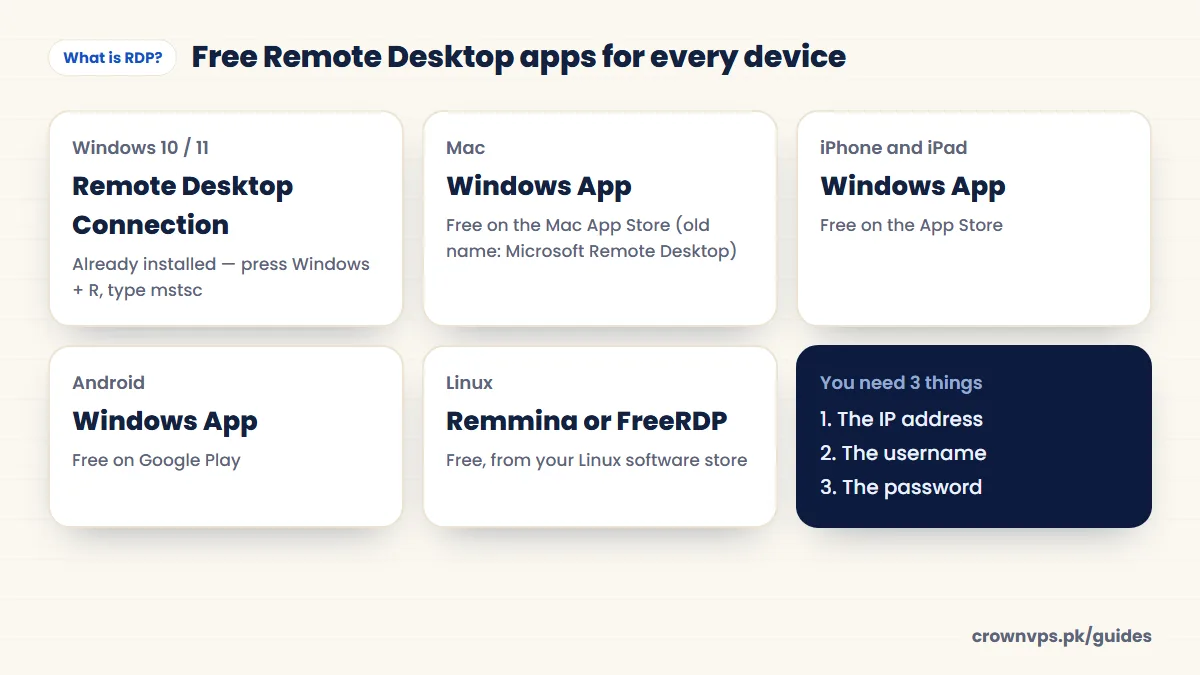
| Your device | App to use |
|---|---|
| Windows 10 or 11 | Remote Desktop Connection (mstsc), already installed |
| macOS | Windows App (old name: Microsoft Remote Desktop), free on the App Store |
| iPhone and iPad | Windows App, free on the App Store |
| Android and Chromebook | Windows App (some phones still show “Remote Desktop” by Microsoft), free on Google Play |
| Linux | Remmina or FreeRDP |
Microsoft renamed its Remote Desktop app to Windows App in 2024. If a guide says “Microsoft Remote Desktop”, it means the same app. Step-by-step connection guide
RDP port 3389
A port is like a numbered door on a computer. RDP uses door number 3389 by default, over TCP, and newer Windows also uses UDP 3389 for a smoother picture. You can move RDP to another port. This cuts down robot login attempts, but it is not real protection on its own — a strong password matters more. If your port is not 3389, type it after the IP with a colon, like 203.0.113.10:3390.
Is RDP safe?
RDP locks (encrypts) your session. A feature called Network Level Authentication (NLA) makes you log in before the desktop even starts. The danger is not RDP itself — it is a weak setup. If port 3389 is open to the whole internet and your password is easy to guess, robots will start trying to log in within hours. These steps fix most of the risk: a long password you use nowhere else, locking the account after failed tries, and Windows updates. Our RDP security checklist.
RDP vs other remote tools
| Tool | What it does | When to use it |
|---|---|---|
| RDP | Opens a Windows desktop, built into Windows | Using a Windows server or VPS |
| VPN | A safe tunnel for your internet traffic — no desktop | Hiding or changing your internet connection |
| SSH | Typed commands, no desktop | Linux servers |
| AnyDesk / TeamViewer | Remote screen through the company’s own servers | Quick help on someone’s home PC |
| VNC | Shares a screen on many systems | Linux or Mac desktops |
What affects RDP speed
The biggest thing is the distance between you and the server. Next is your own internet connection. Last are your display settings. From Pakistan, a server in Pakistan or the UAE feels fastest. A server in the US works fine, but you will see a small delay when you type. Fixing a slow RDP · Choosing a location.
Is RDP free?
Yes — RDP and the apps cost nothing, and every Windows Server includes the RDP server. You pay for the Windows computer you connect to. Be careful with “free RDP” offers online: they are usually shared, slow, or run by people who can see what you do. Our RDP plans start at Rs 1,399 a month.
Quick summary
- RDP = Remote Desktop Protocol, Microsoft’s way to use a Windows computer from far away.
- It uses port 3389 and is encrypted. Programs run on the server; only the screen travels.
- Apps are free: mstsc on Windows, Windows App on Mac, iPhone and Android.
- “Buying an RDP” means renting a Windows VPS. Choose an admin RDP, not a shared one.
Frequently asked
What is the full form of RDP?
RDP stands for Remote Desktop Protocol — Microsoft’s rules for showing a Windows desktop on another device.
What port does RDP use?
TCP port 3389 by default. Newer Windows versions also use UDP port 3389 at the same time for better speed. You can change the port. This cuts down robot login attempts, but a strong password and account lockout matter more.
Is RDP free?
Yes, RDP and the apps are free. Every Windows Server also includes the RDP server. You pay for the Windows machine you connect to. Our RDP plans start at Rs 1,399 a month.
Can I use RDP on my phone?
Yes. Install the free Windows App on Android or iPhone. Add your server’s IP address and login details. Then the Windows desktop shows on your phone.
Is RDP the same as a VPN?
No. A VPN only protects or changes your internet connection. RDP opens a whole Windows desktop on another computer.
What is an admin RDP?
An admin RDP is a whole Windows server with full Administrator rights and its own IP. A shared RDP is one user account on a server many people use.
Can several people use one RDP server?
Yes. Make a Windows user for each person. Windows Server lets two admin users be logged in at the same time. For more people at once, you need Microsoft Remote Desktop Services licences.
Is RDP safe to use over the internet?
Yes, with a good setup: a long unique password, NLA on, account lockout and Windows updates. See the checklist.
Roman Urdu mein sawal jawab
RDP kya hai?
RDP (Remote Desktop Protocol) ke zariye aap door ke Windows computer ko apne laptop ya mobile par chala sakte hain. Screen aap ko dikhti hai, programs server par chalte hain.
RDP ka full form kya hai?
RDP ka full form Remote Desktop Protocol hai.
RDP kaise use karte hain?
Windows par Windows + R dabayein, mstsc likhein, IP daalein aur password se login karein. Mobile par free Windows App install karein.
Written in plain English by the CrownVPS support team. Something not clear? Tell us on WhatsApp and we will explain — and improve the guide.