What is RAM? RAM (memory) is the server’s short-term workspace. Every open program and browser tab sits in RAM. More RAM means more things can stay open at once without the server slowing down.
RAM by type of work
How much RAM to start with, by job
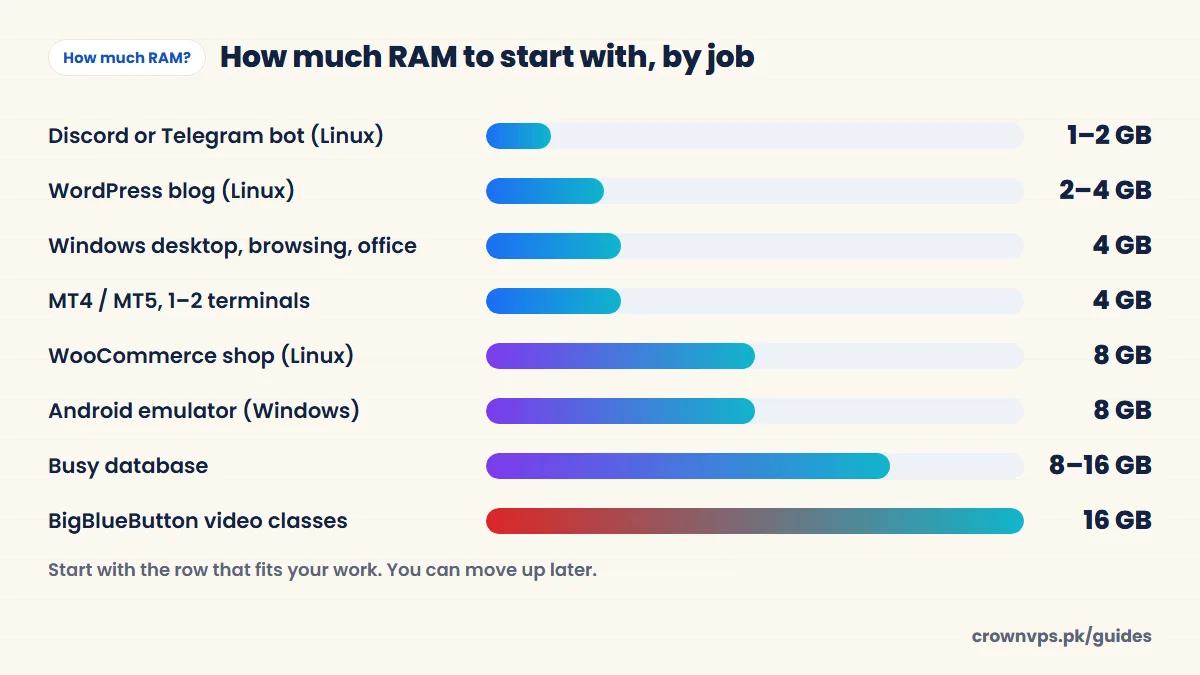
| Work | Operating system | Start with | Move up when |
|---|---|---|---|
| Remote desktop for browsing and office work | Windows | 4 GB | You keep many browser tabs open |
| MT4 / MT5, one or two terminals | Windows | 4 GB | Add about 1 GB for each extra terminal |
| Many browser profiles (social media, sellers) | Windows | 8 GB | Each busy Chrome window adds more |
| Discord or Telegram bot | Linux | 1–2 GB | You add a database or many bots |
| Selenium or Playwright automation | Linux or Windows | 4 GB | 8 GB for several browsers at once |
| Personal VPN (WireGuard) | Linux | 1–2 GB | Many people use it at once |
| WordPress site or blog | Linux | 2–4 GB | You get more visitors or add WooCommerce |
| WooCommerce store | Linux | 8 GB | Thousands of products or heavy filters |
| Small Minecraft server (a few friends) | Linux | 4 GB | More players or mods |
| Database server | Linux | 8 GB | The data you use often no longer fits in memory |
| cPanel with several sites | Linux | 8 GB | More sites or more visitors |
| Android emulator (BlueStacks, LDPlayer) | Windows | 8 GB per copy | Add about 4 GB for each extra copy |
| BigBlueButton video classes | Linux | 16 GB | More people sharing video |
These are our starting points from real use, not hard rules. Programs like MetaTrader do not publish an exact RAM figure — it depends on how many charts, indicators and robots you run.
Is 1, 2, 4, 8 or 16 GB enough?
- 1 GB — only for one tiny Linux job, like a small bot or a personal VPN. Not for Windows.
- 2 GB — a small Linux website or a few bots. On Windows it is the bare minimum Microsoft lists; it works for one light program only.
- 4 GB — the sweet spot for a Windows RDP: a browser, office work and 1–2 MetaTrader terminals. On Linux, a busy WordPress site.
- 8 GB — heavy browser work, 3–5 MetaTrader terminals, an emulator, an online shop or a database.
- 16 GB and more — several emulators, big databases, video classes or a team sharing one server.
Why Windows needs more RAM than Linux
Why the same 4 GB feels bigger on Linux
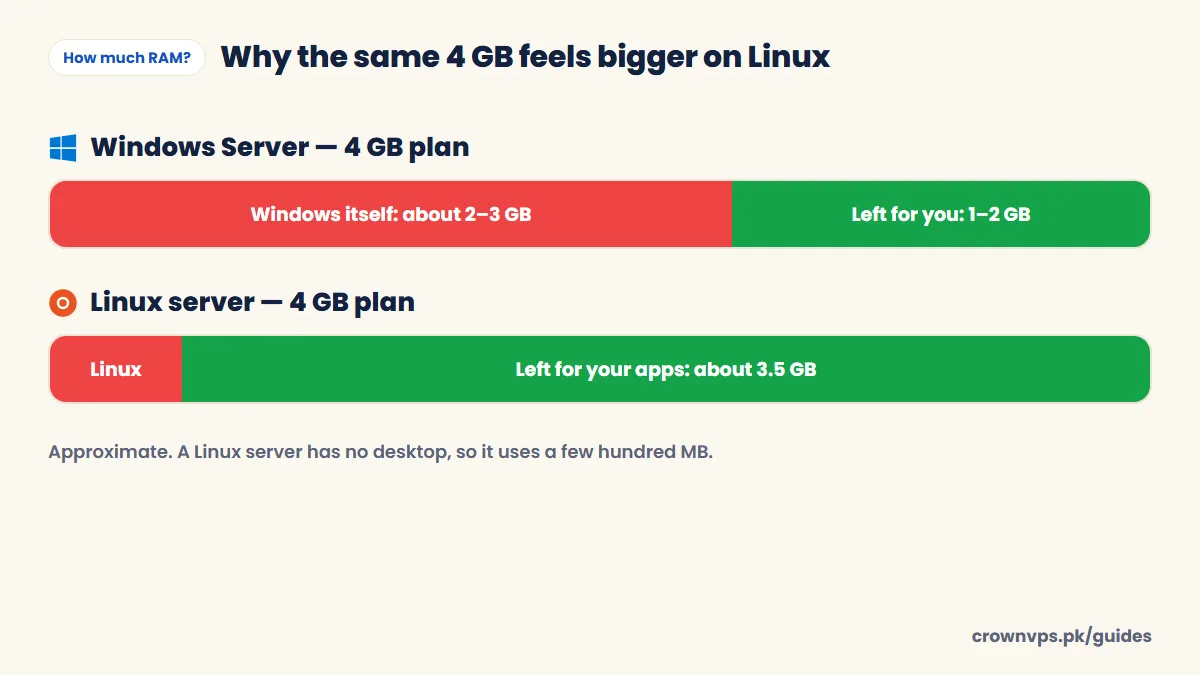
Windows Server runs a full desktop with pictures and windows, and many programs in the background. Microsoft lists 2 GB as the minimum for Windows Server with a desktop (and recommends 4 GB for Windows Server 2025). In real use it takes 2–3 GB before your own programs start. A Linux server usually has no desktop at all and runs in a few hundred megabytes, so almost all the memory is left for your app. That is why the same 4 GB plan feels roomy on Linux and tight on Windows.
How much RAM does RDP use per user?
Each person logged in to a Windows server uses their own share of memory — roughly 0.5–1 GB for light office work, and much more with Chrome open. If two people share one Windows VPS, add their needs together. (Windows Server allows two admin logins at once.)
Signs your VPS needs more RAM
- Task Manager (Windows) or
free -h(Linux) shows memory use above 85–90% most of the time. - The server is slow, but the processor (CPU) is not busy. This means it is moving memory to the disk, which is slow.
- Programs close by themselves, or Linux logs show the “out-of-memory killer” stopping programs.
- Remote Desktop gets slow after a few hours and gets better after a restart.
How to check on Windows: press Ctrl + Shift + Esc, open the Performance tab and click Memory. On Linux: type free -h or htop.
RAM or CPU — which should you add?
If memory is full and the processor is not, add RAM. If the processor is near 100% and memory has room, add cores. Most small servers run out of memory before they run out of processor power. How many CPU cores you need.
Start small, then upgrade
Find the row in the table that matches your work and start there. Moving to a bigger plan later is easy, and your data stays. Paying for memory you never use is wasted money. See plans by RAM — Windows plans start at Rs 1,399 a month.
Quick summary
- Windows VPS / RDP: start with 4 GB. Linux VPS: start with 2–4 GB.
- Shops, databases and emulators: 8 GB or more.
- Windows uses 2–3 GB for itself; Linux uses a few hundred MB.
- If memory stays above 85–90%, upgrade.
Frequently asked
Is 2 GB RAM enough for a VPS?
For a small Linux website, a bot or a VPN, yes. For a Windows desktop, only for one light program — choose 4 GB for a comfortable Windows RDP.
Is 2 GB RAM enough for a Windows VPS?
For one light job, like a single MT4 terminal, yes, but only just. For normal desktop use with a browser, no. Windows needs 2–3 GB for itself. Choose 4 GB for a comfortable Windows RDP.
Is 4 GB or 8 GB better for an RDP?
4 GB is good for browsing, office work and trading. 8 GB is good for heavy browser use, many programs at once, automation with many browsers, or an emulator. Start with 4 GB unless your work is in the heavy group.
How much RAM does MT4 or MT5 use?
One MetaTrader terminal with a few charts usually fits well in a 4 GB Windows VPS. Add about 1 GB for each extra terminal. Many charts, indicators and robots use more.
How much RAM does a WordPress VPS need?
2–4 GB for a blog or simple business site on Linux with a cache plugin. 8 GB for WooCommerce. WordPress VPS has more detail.
How much RAM for Windows Server 2022?
Microsoft’s minimum is 2 GB with the desktop. For real work, choose 4 GB or more.
What happens when a VPS runs out of RAM?
It starts using the disk as slow memory, so everything becomes slow. Programs may close by themselves. Close programs, restart, or move to a bigger plan.
Roman Urdu mein sawal jawab
VPS ke liye kitni RAM chahiye?
Windows VPS ya RDP ke liye 4 GB se shuru karein. Linux website ya bot ke liye 2 GB kaafi hai. Online shop, database ya emulator ke liye 8 GB.
MT4 ke liye kitni RAM chahiye?
1-2 MetaTrader ke liye 4 GB RAM wala Windows VPS theek hai. Har extra terminal ke liye taqreeban 1 GB aur.
Kaise pata chale ke RAM kam hai?
Task Manager kholein (Ctrl + Shift + Esc). Agar Memory hamesha 85-90% se upar ho to bara plan le lein.
Written in plain English by the CrownVPS support team. Something not clear? Tell us on WhatsApp and we will explain — and improve the guide.