Windows or Linux? Answer two questions
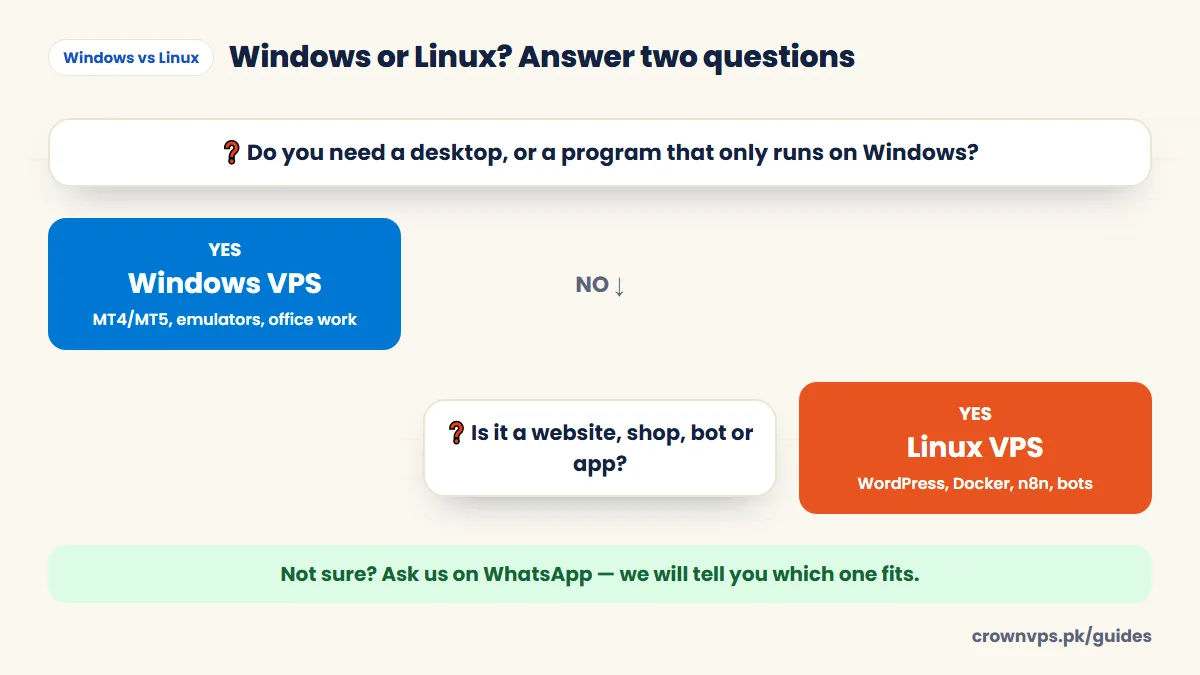
Windows VPS vs Linux VPS compared
Windows VPS vs Linux VPS at a glance
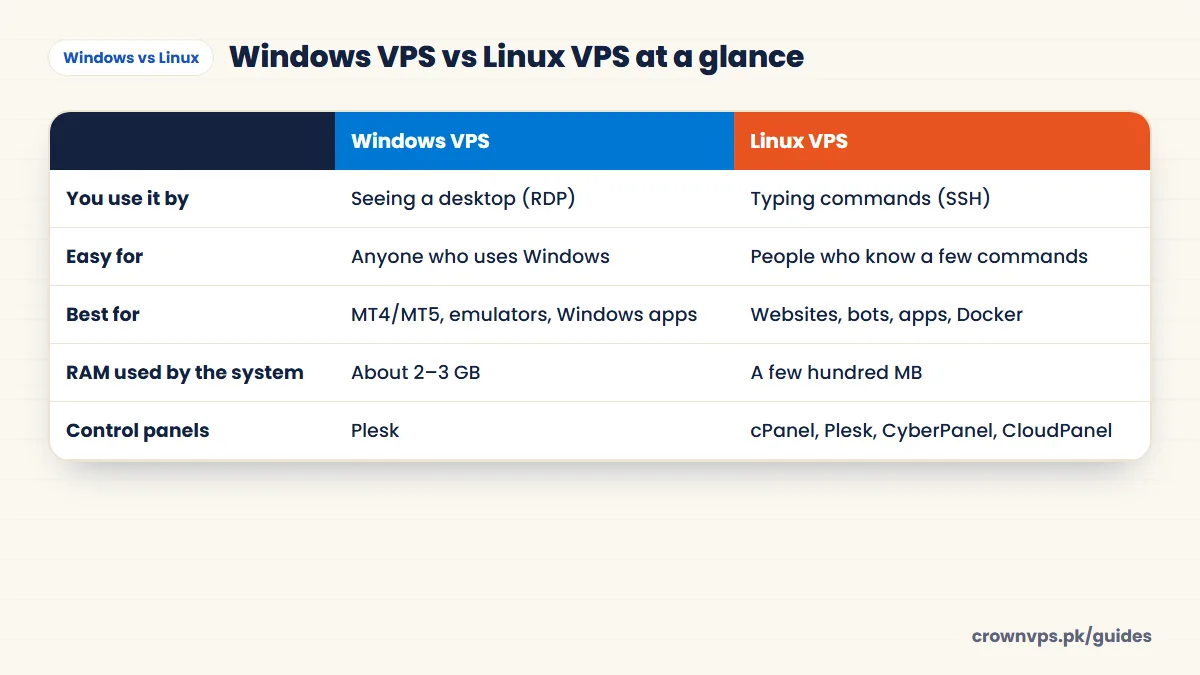
| Windows VPS | Linux VPS | |
|---|---|---|
| How you use it | A normal desktop screen over Remote Desktop (RDP) | Typed commands over SSH, or a web control panel |
| How easy it is | Easy for anyone who uses Windows | Easier if you know some commands |
| Software | MT4/MT5, emulators, .NET, Microsoft SQL Server, desktop apps | PHP, WordPress, Node.js, Python, Docker, MySQL, PostgreSQL |
| Memory (RAM) used by the system | About 2–3 GB (Microsoft’s minimum is 2 GB with the desktop) | A few hundred MB |
| Smallest storage | 32 GB (Microsoft’s minimum) | Much less — small plans work |
| Versions | Windows Server 2025, 2022 or 2019 | Ubuntu, Debian, AlmaLinux, Rocky Linux |
| Control panels | Plesk | cPanel, Plesk, CyberPanel, CloudPanel, Webmin |
| Common use | Remote work, trading, Windows software | Hosting, automation, building software |
How you log in: Remote Desktop vs SSH
Windows: you open the free Remote Desktop app, type the IP, username and password, and a full Windows desktop appears — you click around like on your own PC. How to connect.
Linux: you open a terminal (PowerShell on Windows, Terminal on Mac) and type ssh root@your-IP. You then control the server with typed commands. If you prefer clicking, install a free web panel like CloudPanel. You can even add a desktop to Linux — see Linux VPS with GUI.
Quick rule for each task
| Task | Choose |
|---|---|
| Remote desktop for work or freelancing | Windows |
| MT4 / MT5 forex trading | Windows |
| Android emulators | Windows |
| Chrome with many profiles, social media tools | Windows |
| WordPress or WooCommerce | Linux |
| Discord or Telegram bots, scrapers | Linux |
| Node.js, Python or Docker apps | Linux |
| n8n automation | Linux |
| Your own VPN | Linux |
| Game server (Minecraft) | Linux (Windows also works) |
| ASP.NET Framework or MS SQL apps | Windows |
Speed and cost
On our site, plan prices are the same for both systems. The difference is how much work the plan can do. Windows keeps 2–3 GB of memory for itself; Linux leaves almost all of it for your work. A site that needs 8 GB on Windows often runs well on 4 GB with Linux. Our smallest 20 GB storage plans are Linux only, because Windows needs at least 32 GB. RAM sizing guide.
Which is more secure?
Both are safe when you look after them. What matters most is the same on both: a long password (or an SSH key on Linux), updates, a firewall, and only opening the ports you need. Windows has our RDP security checklist; for Linux, log in with a key, keep packages updated and turn on ufw.
Can you switch later?
Yes. If you ask, we reinstall the server with the other operating system. Reinstalling deletes everything on the disk, so copy your data somewhere else first.
Quick summary
- Windows VPS: a clickable desktop and Windows programs (MT4, emulators, office).
- Linux VPS: websites, shops, bots, Docker — lighter and does more per plan.
- Plan prices are the same; Linux leaves more memory for your work.
- You can switch later with a reinstall.
Frequently asked
Which is better, Windows or Linux VPS?
Neither is better for everything. Windows is better for desktops and Windows programs. Linux is better for websites, apps and bots, and it uses fewer resources.
Is Linux VPS faster than Windows VPS?
On the same hardware, Linux usually leaves more CPU and memory for your app, because Linux itself is lighter. For desktop work, Windows is still the right choice.
Can I run MT4 or MT5 on a Linux VPS?
MetaTrader is made for Windows. It can run on Linux with extra tools, but it is fiddly. For trading, a Windows VPS is much simpler.
Can I run a website on a Windows VPS?
Yes, with IIS or a set of tools like XAMPP. It is the right choice for ASP.NET apps. For WordPress and most PHP sites, Linux with Nginx or LiteSpeed is faster and has better support.
Can a Linux VPS have a desktop (GUI)?
Yes. You can install a light desktop like XFCE and open it with Remote Desktop. It needs more memory. If you mainly want a desktop, Windows is easier.
Which is better for a beginner?
For a remote desktop, Windows. It looks like your own PC. For hosting a website, use Linux with a free panel such as CloudPanel. You can point and click, so you do not need to learn commands.
Roman Urdu mein sawal jawab
Windows VPS lein ya Linux VPS?
Agar aap ko desktop, MT4 ya Windows programs chahiye to Windows VPS. Website, online shop, bots ya apps ke liye Linux VPS.
Kya Linux VPS sasta hai?
Hamari qeemat dono ki barabar hai, lekin Linux kam RAM leta hai is liye usi plan mein zyada kaam hota hai.
Made up your mind?
Both come with a dedicated IP, full admin or root access and NVMe storage.
- Instant activation
- JazzCash & EasyPaisa
- 24/7 Urdu & English support
Written in plain English by the CrownVPS support team. Something not clear? Tell us on WhatsApp and we will explain — and improve the guide.