Is a VPS the same as an RDP? When you are shopping, yes — “buy RDP”, “admin RDP” and “Windows VPS” usually mean the same product. Technically, no — the VPS is the machine and RDP is the road to it.
VPS vs RDP — the house and the road
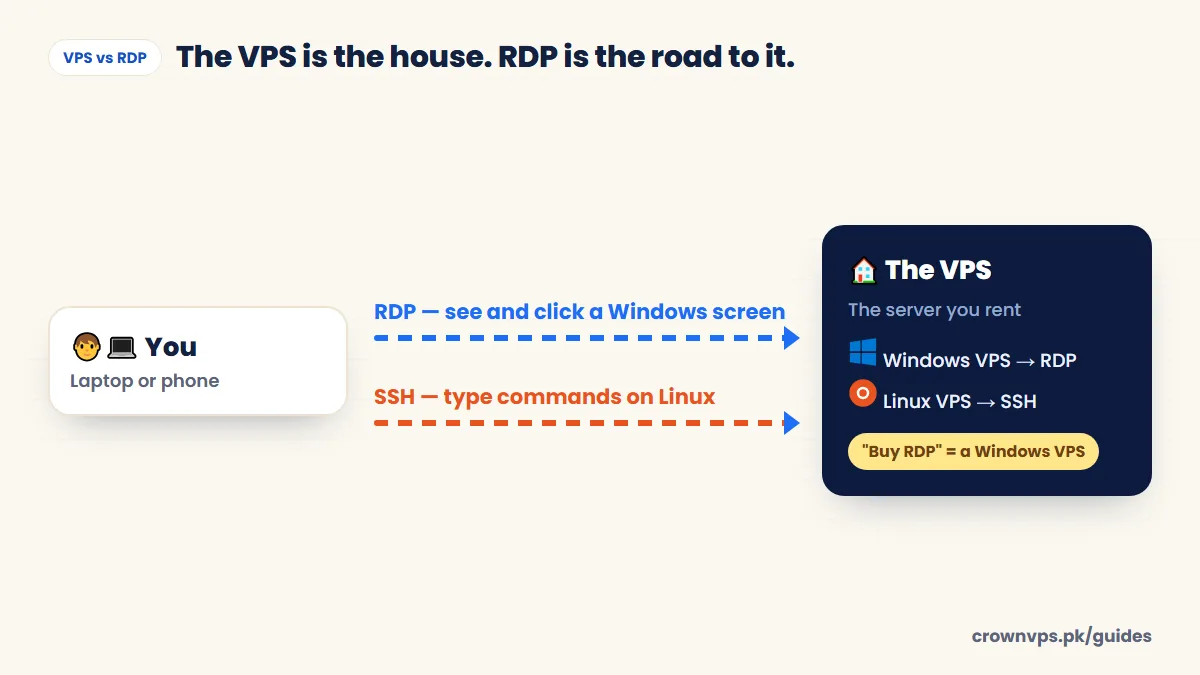
VPS vs RDP side by side
| VPS | RDP | |
|---|---|---|
| What it is | A virtual computer with its own CPU, RAM, storage and IP | Microsoft’s way of using a Windows desktop from far away |
| Is it a product? | Yes. It is the thing you rent | No. It is the way you connect to it |
| Operating system | Windows or Linux | Windows (on the server) |
| How you reach it | RDP for Windows, SSH for Linux | With a Remote Desktop app, on any device |
| What “buying one” gets you | A server | Usually a Windows VPS |
| Good for | Websites, apps, bots, desktops | Using a Windows desktop and Windows programs |
Why people mix up the words
In Pakistan and much of Asia, “RDP” became a short name for “a Windows computer in a data centre that I log into”. The name stuck to the product, even though RDP really means the connection. That is fine — just check what kind of RDP you are buying. Some sellers use “RDP” for a shared RDP: one user account on a server that many people use. It is cheaper, but slower, more limited and less private.
Admin RDP vs shared RDP vs Linux VPS
Admin RDP vs shared RDP
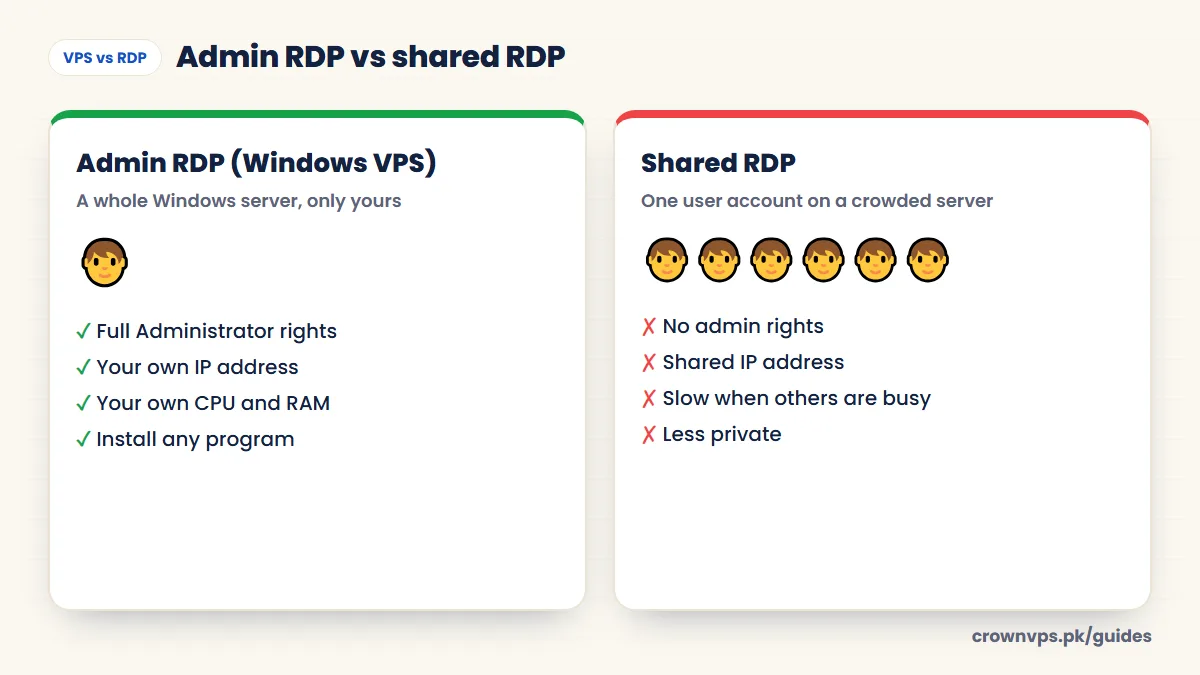
| Windows VPS / admin RDP | Shared RDP | Linux VPS | |
|---|---|---|---|
| Whole server yours | Yes | No | Yes |
| Admin / root access (full control) | Yes | No | Yes |
| Dedicated IP | Yes | Shared | Yes |
| Install your own programs | Yes | Usually no | Yes |
| Desktop | Full Windows desktop | Limited desktop | Commands or a web panel |
| Best for | Remote work, trading, Windows software | Very light, short-term use | Websites, apps, bots |
Why some RDP is so cheap
A very cheap RDP is often a shared RDP. The seller puts many users on one Windows server, so each person gets only a small slice of the processor and memory, shares one IP address, and has no admin rights. Windows Server also allows only two admin logins at once without extra Microsoft licences, which is another reason shared setups are limited. If you need speed, privacy or your own programs, a private admin RDP is worth the small extra cost.
Which should you buy?
- You want a Windows desktop you can log into from anywhere. Buy a Windows VPS (what people call “an RDP”). RDP plans.
- You trade forex with MT4 or MT5. A Windows VPS near your broker. Forex VPS.
- You freelance or sell online. A Windows RDP with a steady IP. RDP for Upwork.
- You want to host a website, API, bot or containers. Buy a Linux VPS. You do not need RDP at all.
- You want the cheapest desktop for one hour of work. A shared RDP might be enough. But you lose admin rights, speed and privacy.
What to check when buying an “RDP”
- Is it a full server with Administrator rights, or a shared account?
- How many vCPU cores and how much RAM? RAM guide
- Is the storage fast NVMe, or older SSD / HDD?
- Is the IP address only yours?
- Where is the server in the world? Location guide
- What currency do you pay in, and can you pay locally with JazzCash or EasyPaisa?
Quick summary
- VPS = the server you rent. RDP = how you open a Windows server.
- “Buying an RDP” normally means buying a Windows VPS.
- Choose an admin RDP (whole server) over a shared RDP (one seat) if you need speed and privacy.
- For websites and bots, choose a Linux VPS instead.
Frequently asked
Is RDP a VPS?
Not exactly. RDP is a way to connect. The VPS is the server. But when people buy “an RDP”, they get a Windows VPS that they reach with RDP. So when shopping, the answer is usually yes.
Which is better, VPS or RDP?
Neither is better — they work together. If you need a Windows desktop, buy a Windows VPS and open it with RDP. If you need a website or bot server, buy a Linux VPS.
Which is cheaper, VPS or RDP?
A private admin RDP and a Windows VPS cost the same, because they are the same product. Shared RDP is cheaper because you share one server with many users. Our Windows VPS plans start at Rs 1,399 a month.
Which is more secure, VPS or RDP?
Security depends on the server setup, not the name. A private admin RDP (Windows VPS) with a strong password, NLA and updates is safer than a shared RDP, where other users are on the same machine.
Can I install my own software on an RDP?
On an admin RDP, yes — you have full Administrator rights. On a shared RDP, usually not.
Can I use RDP with a Linux VPS?
Linux servers are normally run over SSH. You can install a desktop and an RDP server such as xrdp on Linux. But if you want a remote desktop, a Windows VPS is simpler.
Roman Urdu mein sawal jawab
RDP aur VPS mein kya farq hai?
VPS woh server hai jo aap kiraye par lete hain. RDP us Windows server ko kholne ka tareeqa hai. Market mein “RDP khareedna” ka matlab aam tor par Windows VPS khareedna hota hai.
Admin RDP aur shared RDP mein kya farq hai?
Admin RDP poora Windows server hota hai, apne IP aur full control ke saath. Shared RDP mein aap bohat se logon ke saath ek server par sirf ek account lete hain.
Want a Windows desktop you can reach from anywhere?
That is a Windows VPS — admin rights, a dedicated IP and Remote Desktop from any device.
- Instant activation
- JazzCash & EasyPaisa
- 24/7 Urdu & English support
Written in plain English by the CrownVPS support team. Something not clear? Tell us on WhatsApp and we will explain — and improve the guide.