This guide is for people buying their first server. Every step is in plain words, with the questions to ask before you pay and the checks to do after.
What you need before you start
Only three things:
- An email address — your login details are sent there.
- A way to pay — JazzCash, EasyPaisa, SadaPay, NayaPay or a bank account. A card works too, but you do not need one.
- An idea of what you will run — for example MetaTrader, Chrome for client work, or an Android emulator. This decides the size.
You do not need to know anything technical. If you can use a Windows PC, you can use a Windows VPS.
Buy a Windows VPS in Pakistan in 6 steps
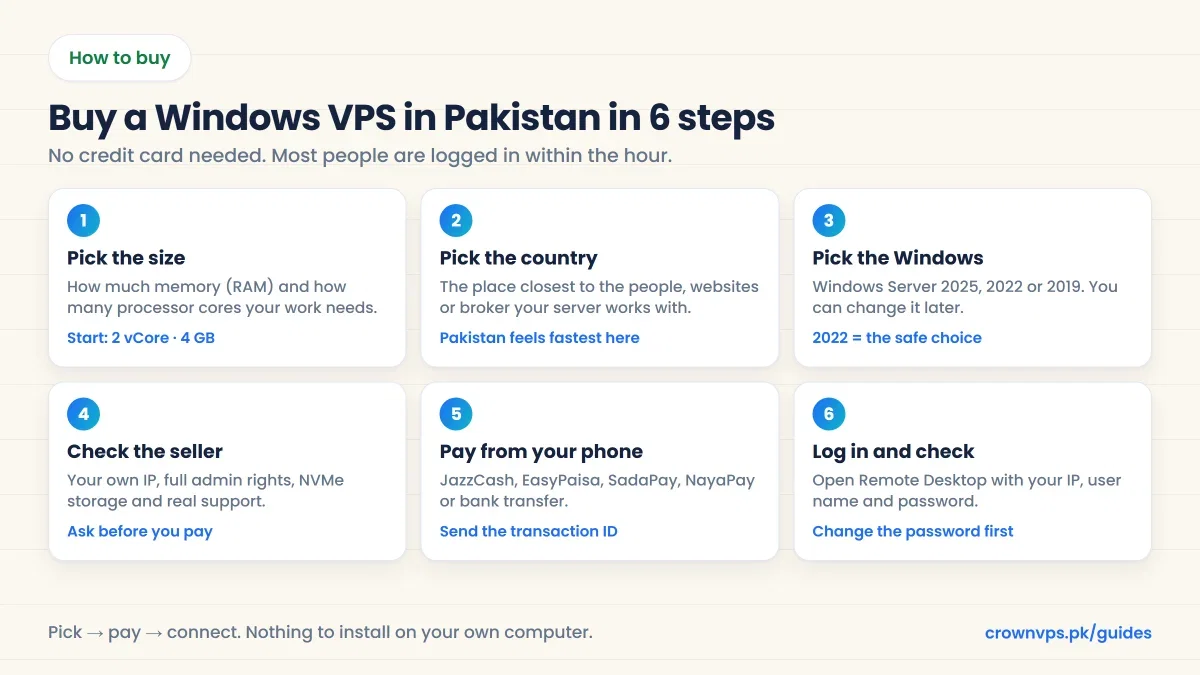
Step 1: Decide what size you need
A Windows VPS is sold by size: how many processor cores (vCore) and how much memory (RAM) you get. Windows itself uses about 2–3 GB of memory before you open anything, so 4 GB is the comfortable place to start. Find your work in the table and start there.
What size Windows VPS do you need?
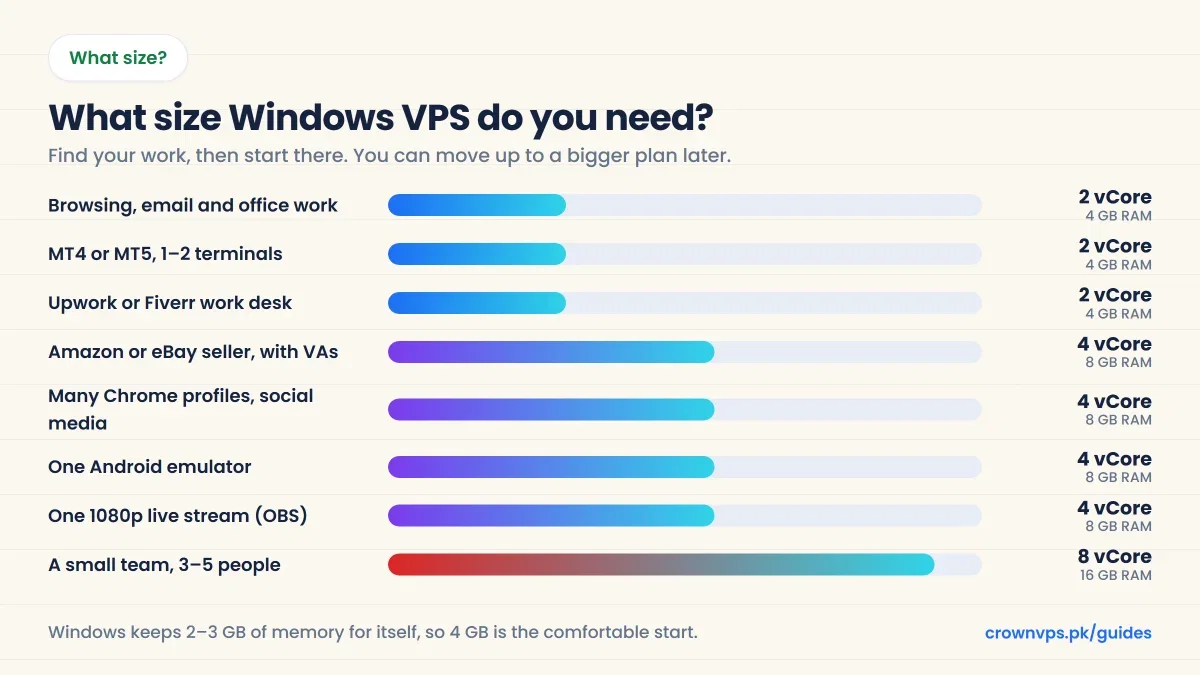
| What you will do | Start with | Read more |
|---|---|---|
| Browsing, email and office work | 2 vCore · 4 GB RAM | RDP hosting |
| MT4 or MT5 with 1–2 terminals | 2 vCore · 4 GB RAM | Forex VPS |
| Upwork or Fiverr work desk | 2 vCore · 4 GB RAM | RDP for Upwork |
| Amazon or eBay selling, with VAs | 4 vCore · 8 GB RAM | RDP for Amazon |
| Many Chrome profiles, social media | 4 vCore · 8 GB RAM | Social media VPS |
| One Android emulator (BlueStacks) | 4 vCore · 8 GB RAM | Emulator VPS |
| One 1080p live stream with OBS | 4 vCore · 8 GB RAM | Streaming VPS |
| A small team, 3–5 people | 8 vCore · 16 GB RAM | Ask us |
Buy small first. Moving to a bigger plan takes minutes and your files stay. Paying for memory you never use is money gone every month. If you are not sure, read how much RAM you need and how many processor cores you need.
One thing to watch: Windows Server needs at least 32 GB of storage. If a plan has only 20 GB, it can run Linux but not Windows.
Step 2: Pick the country
Your server can be in Pakistan or in another country. This choice does two things: it sets how fast the server feels to you, and it sets the country of your IP address (the address websites see).
The rule is simple: pick the place closest to the people, websites or broker your server works with — not the place closest to you, unless you are the only user.
| What the server is for | Choose | Why |
|---|---|---|
| Your own desktop, used from Pakistan | Pakistan, then Dubai | Closest, so typing feels instant |
| Work for US clients, Amazon or eBay | United States | You get a US IP address |
| UK clients or marketplaces | United Kingdom | You get a UK IP address |
| Forex trading | Germany, Netherlands or UK | Near your broker, so orders arrive sooner |
| Customers in the Gulf | UAE or Saudi Arabia | Low delay across the region |
Distance is the thing you cannot buy your way out of. Every 1,000 km adds about 10 ms of delay, and a faster processor does not fix it. From Karachi, Dubai is about 48 ms and New York about 219 ms. A US server still works well; you will just notice a small pause when you type. Full ping guide for Pakistan · See all 180 locations
Step 3: Pick the Windows version
You choose the Windows when you order, and you can change it later by reinstalling. All three look like a normal Windows desktop.
| Version | Security updates until | Choose it when |
|---|---|---|
| Windows Server 2025 | November 2034 | You are starting fresh and want the longest support. Looks like Windows 11. |
| Windows Server 2022 | October 2031 | The safe choice for most people. Very well tested. |
| Windows Server 2019 | January 2029 | Only when an older program needs it. Looks like Windows 10. |
Dates are from Microsoft’s product lifecycle pages. Not sure? Choose Windows Server 2022. Almost every program runs on it. If you need the Windows 10 or 11 desktop instead, ask the seller first — those are different and not on every plan.
Step 4: Check the seller before you pay
This is the step most people skip, and it is where the money is lost. Very cheap “RDP” offers are often shared RDP: one user account on a server many people use. It costs less because you get less.
| A real Windows VPS (admin RDP) | Shared RDP | |
|---|---|---|
| What you get | A whole Windows server | One account on someone else’s server |
| Install your own programs | Yes, full admin rights | No |
| IP address | Only yours | Shared with everyone on it |
| Speed | Your own cores and memory | Slow when the others are busy |
| Restart or reinstall | Yes, from your panel | No |
Eight questions to ask before you pay
- Is it a whole server, or one user account? You want the whole server, with Administrator rights.
- Is the IP address only mine? A shared IP can already be blocked by websites because of someone else.
- Which Windows version will I get, and can I reinstall it myself?
- Is the storage NVMe, or an old hard disk? NVMe makes Windows and programs open much faster.
- Where is the server really? The IP should show the country you paid for.
- How soon will it be ready? Ask for a clear answer, not “soon”.
- What is the full price? Ask about any one-time fee, and whether the price is in rupees or dollars.
- What happens if it does not work? Read the refund page before you pay, not after. Our refund policy
A seller who answers all eight clearly is usually a safe seller. One who avoids them is not. Message us on WhatsApp and ask us these same questions — we answer 24/7 in Urdu and English.
Step 5: Pay from your phone with JazzCash or EasyPaisa
You do not need an international card. In Pakistan, most people pay from a mobile wallet in under a minute.
- Choose your plan, country and Windows version, and place the order.
- Pick JazzCash, EasyPaisa, SadaPay, NayaPay or bank transfer.
- Send the exact amount shown on the invoice to the account on it.
- Copy the transaction ID and add it to the invoice, or send it on WhatsApp.
- When the payment is matched, your server details arrive by email.
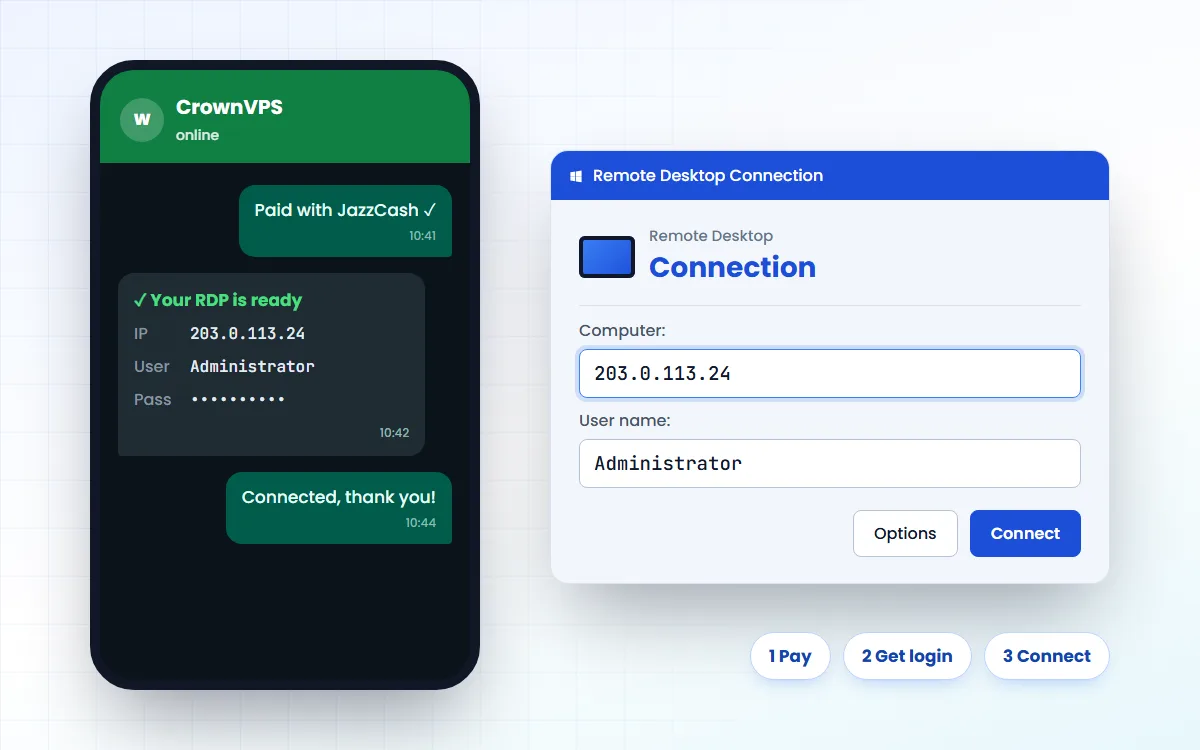
Pay with JazzCash, then get your login
Why prices are in rupees but the bill is in dollars
Many hosting companies, including us, bill in US dollars, because that is how servers are bought and sold worldwide. Rupees are easier to understand, so the rupee price is shown first and the dollar amount is written under it. The dollar amount is what you actually pay. Your wallet or bank changes it at its own rate on the day, so the rupee figure can be a few rupees different.
Before you pay, also check whether the plan has a one-time setup fee. A good checkout shows the full amount before you confirm. How each payment method works
Step 6: Log in with Remote Desktop
After the payment is matched you get three things: the IP address, the user name (usually Administrator) and the password. That is everything you need.
| Your device | What to do |
|---|---|
| Windows PC or laptop | Press Windows + R, type mstsc, press Enter, type the IP and click Connect. |
| Mac | Install the free Windows App from the App Store, tap +, Add PC, type the IP. |
| Android phone | Install the free Windows App from Google Play, tap +, Add PC, type the IP. |
| iPhone or iPad | Install the free Windows App from the App Store, tap +, Add PC, type the IP. |
Open your Windows VPS from any device
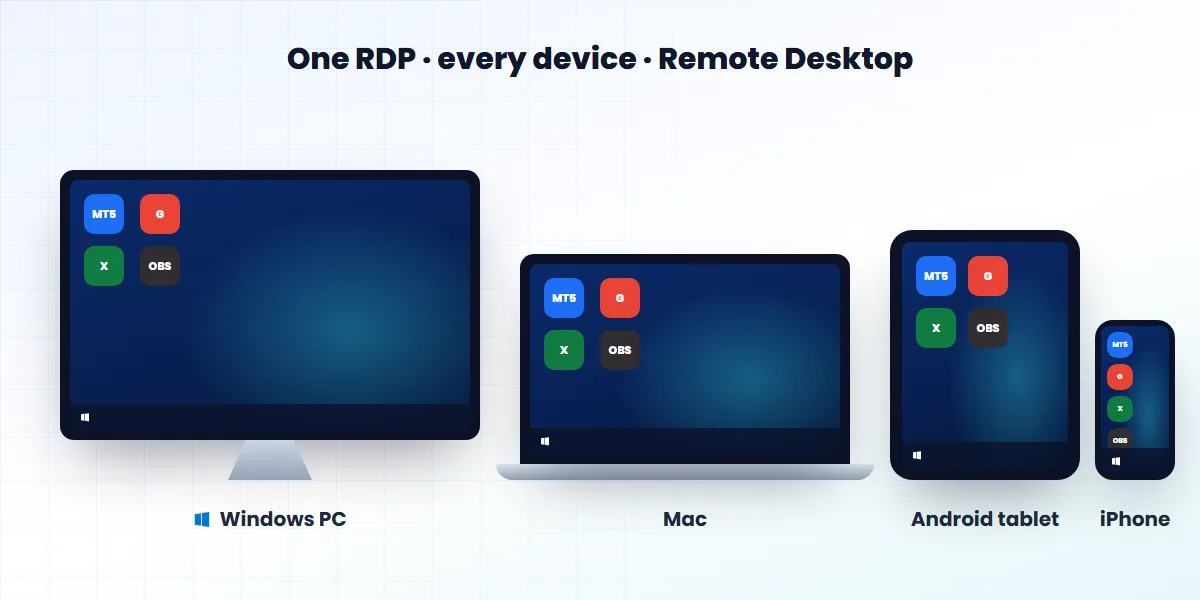
The first time you connect, Windows shows a certificate warning. That is normal on a new server — click Yes. Step by step, with pictures: how to connect to RDP.
Closing the window does not switch the server off. Your programs keep running. Only “Sign out” closes them.
Step 7: Check you got what you paid for
Do this in the first ten minutes, while you can still tell the seller the same day. It takes two minutes.
Check you got what you paid for
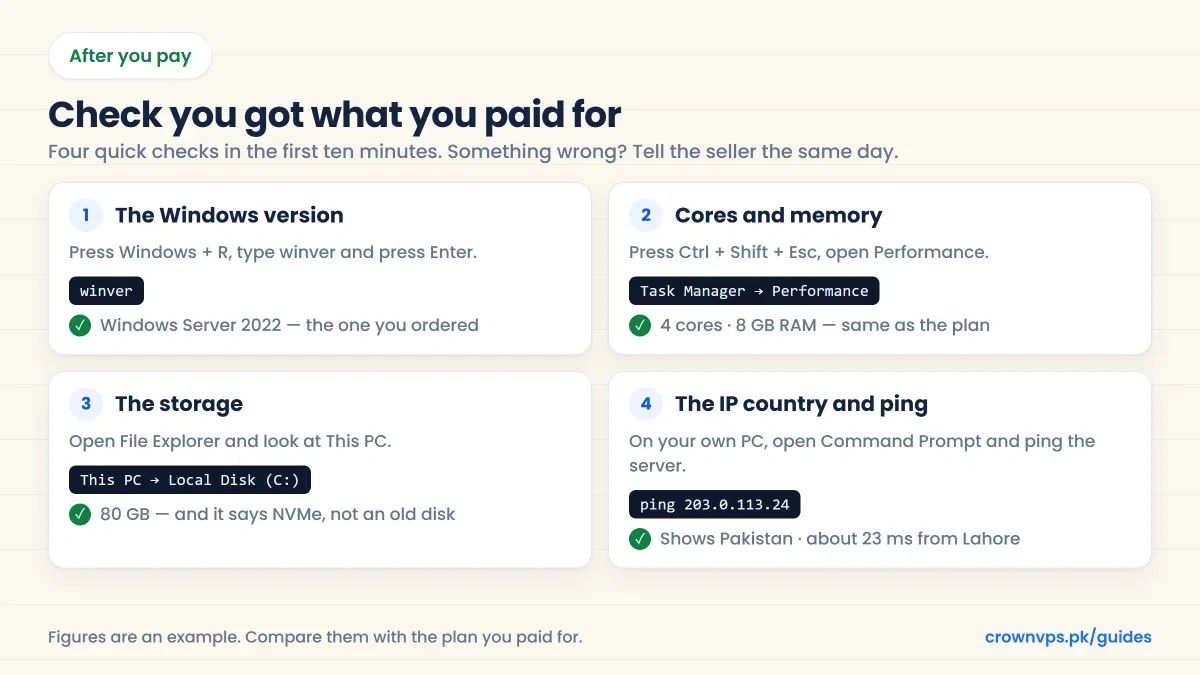
- The Windows version. Press Windows + R, type
winverand press Enter. - Cores and memory. Press Ctrl + Shift + Esc and open the Performance tab. It should match your plan.
- The storage. Open File Explorer and look at This PC.
- The IP country and the delay. On your own computer, open Command Prompt and type
pingand the server’s IP. Then search for “what is my IP location” inside the server’s browser to see the country websites see.
A brand new IP address can take a few days to show the right country in every IP database. If it still looks wrong after that, tell the seller.
Your first hour: four safety steps
- Change the Administrator password. Press Ctrl + Alt + End and choose “Change a password”. Use at least 16 characters that you use nowhere else.
- Run Windows Update and let the server restart.
- Turn on account lockout, so password-guessing robots get locked out.
- Keep a copy of anything important somewhere else. A server is not a backup.
The full list is in our 12-step security checklist.
What a Windows VPS costs in Pakistan
Our Windows plans start at Rs 1,399 a month for a server in Pakistan. Prices go up with the size, and they are a little different in each country. Every plan includes one IP address that is only yours, full Administrator access and NVMe storage.
Be careful with offers far below the normal market price. They are usually a shared RDP, an old hard disk, or an IP address that is already blocked on the websites you need. See every plan and price · Windows VPS plans
Five mistakes to avoid
- Buying the biggest plan on day one. Start small and move up when the server is actually busy.
- Choosing the country by price. The wrong country is a bad deal at any price.
- Paying before you ask. A two-minute WhatsApp message saves a wasted month.
- Keeping the first password. Change it in the first ten minutes.
- Thinking the server backs itself up. It does not. Keep your own copies.
Quick summary
- Pick the size (most people start with 2 vCore and 4 GB), then the country, then the Windows version.
- Check it is a whole server with your own IP and admin rights — not a shared RDP.
- Pay with JazzCash, EasyPaisa, SadaPay, NayaPay or bank transfer, and send the transaction ID.
- Log in with Remote Desktop, check the version, cores, memory, storage and IP, then change the password.
Frequently asked
How do I buy a Windows VPS in Pakistan?
Pick the size and the country, choose your Windows version, pay with JazzCash, EasyPaisa, SadaPay, NayaPay or bank transfer, and send the transaction ID. Your IP address, user name and password arrive by email, and you open the server with Remote Desktop.
Can I buy a VPS without a credit card?
Yes. Mobile wallets and bank transfer work without any card. You only need an email address and a way to pay.
How much does a Windows VPS cost in Pakistan?
Our Windows plans start at Rs 1,399 a month in Pakistan. The price depends on the size, the country and the type of plan. See every price.
What size Windows VPS should I buy first?
For one person browsing, doing office work or running one or two MetaTrader terminals, start with 2 vCore and 4 GB RAM. Choose 4 vCore and 8 GB for an emulator, a live stream or heavy browser work.
Which country should I choose?
The country closest to the people, websites or broker your server works with. For your own desktop used from Pakistan, choose Pakistan or Dubai. For US clients or Amazon, choose the USA.
How long does it take to get the server?
With instant activation, your login details arrive as soon as the payment is confirmed. Mobile wallets and cards confirm fastest; bank transfers can take longer outside bank hours.
Is a Windows VPS the same as an RDP?
In shops, yes. RDP is the way you open the server; the Windows VPS is the server itself. When a seller says “admin RDP”, they mean a Windows VPS. VPS vs RDP explained.
Why is some RDP so cheap?
Because it is usually shared: one user account on a server many people use, with no admin rights and a shared IP. It is cheaper because you get less. A private server costs a little more and does much more.
Can I use the VPS from my phone?
Yes. Install the free Windows App on Android or iPhone, add the IP address and log in. The Windows desktop opens on your phone.
Can I change the plan or the Windows version later?
Yes. Move to a bigger plan in minutes, with your files kept. Changing the Windows version means a reinstall, which wipes the disk, so copy your files off first.
What should I do first after logging in?
Change the Administrator password, run Windows Update, and check the version, cores, memory and storage against the plan you paid for.
What if the server is not what I ordered?
Tell the seller the same day, with a screenshot. Read the refund page before you buy so you know the rules. Our refund policy.
Roman Urdu mein sawal jawab
Pakistan mein Windows VPS kaise kharidein?
Plan ka size chunein, country chunein, Windows version chunein, phir JazzCash ya EasyPaisa se payment karein aur transaction ID bhej dein. Login details email par aa jati hain.
Kya credit card zaroori hai?
Nahin. JazzCash, EasyPaisa, SadaPay, NayaPay ya bank transfer se bhi VPS mil jata hai.
Shuru mein kitna bara plan lein?
Aam kaam aur 1-2 MetaTrader ke liye 2 vCore aur 4 GB RAM kaafi hai. Emulator, streaming ya bohat se browser tabs ke liye 4 vCore aur 8 GB lein.
Sasta RDP kyun milta hai?
Kyunke woh aksar shared RDP hota hai – ek server par bohat se log, bina admin rights ke aur shared IP ke saath. Private server thora mehnga hota hai lekin bohat behtar.
Payment ke baad kya check karein?
winver se Windows version, Task Manager se cores aur RAM, This PC se storage, aur ping se IP ka country. Sab plan se match hona chahiye.
Written in plain English by the CrownVPS support team. Something not clear? Tell us on WhatsApp and we will explain — and improve the guide.