What is a vCPU?
A vCPU (virtual CPU) is a share of a real processor, given to your virtual server. Here is the simple version:
- A processor (CPU) is the brain of the computer.
- A core is one worker inside that brain. Server processors have many cores.
- With a feature called hyper-threading, one core can juggle two jobs at once. Each of those is a thread.
- Hosting companies usually sell each thread as one vCPU. Amazon’s cloud, for example, says “each vCPU is a thread of a CPU core”.
What a vCPU is: core, thread and vCPU
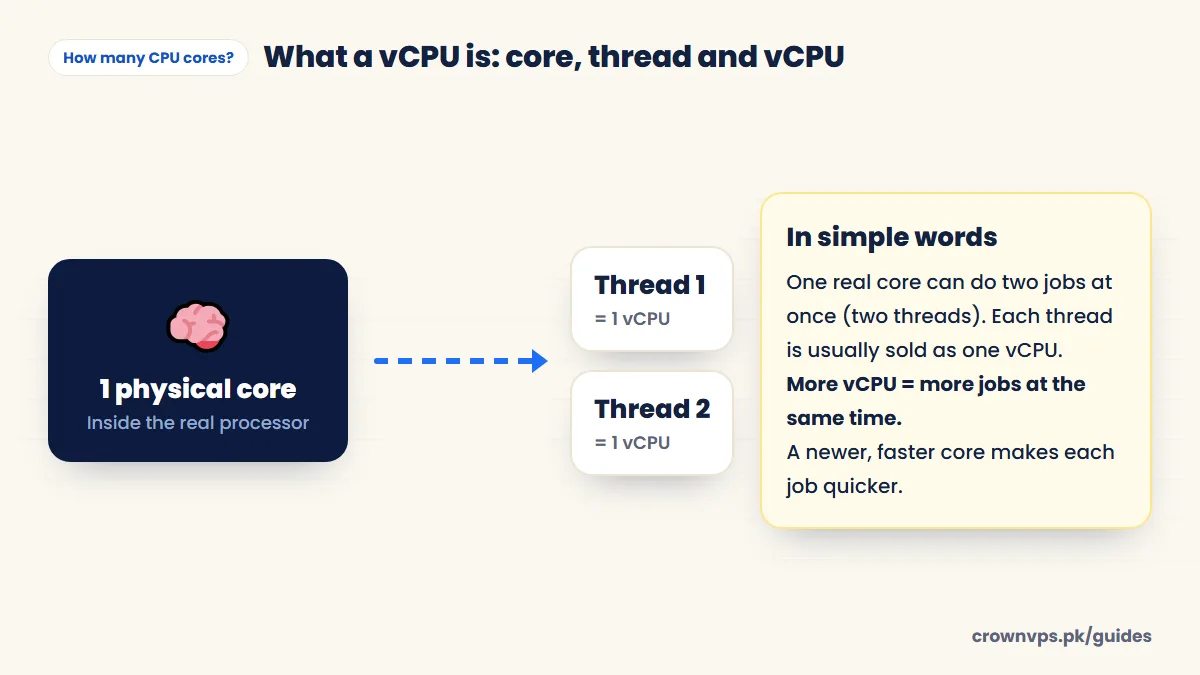
For you, the simple part is this: more vCPUs let the server do more things at the same time. They do not make one single task run faster. For that, the speed of each core matters. That is why newer processors like AMD Ryzen and EPYC feel faster with the same number of cores. Premium VPS on Ryzen and EPYC.
Cores by type of work
How many vCPU cores to start with, by job
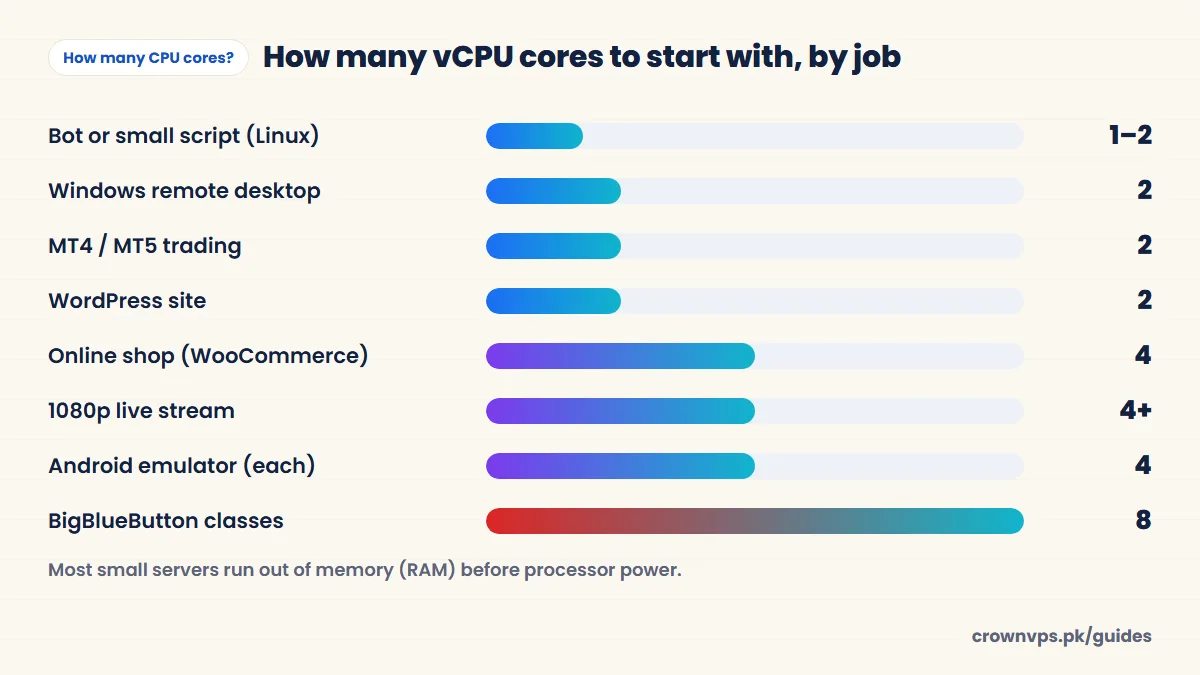
| Work | vCPU to start | What decides it |
|---|---|---|
| Windows remote desktop, office work | 2 | How many programs are open at once |
| MT4 / MT5 trading | 2 | How many terminals and indicators you use |
| Bots and scripts | 1–2 | How many run at the same time |
| Browser automation without a screen | 2–4 | Each busy browser uses about one core |
| WordPress site | 2 | Pages per second that are not cached (not saved ready in advance) |
| WooCommerce or Magento store | 4 | Visitors at checkout and search |
| Small game server (Minecraft) | 2–4 | Players and mods — core speed matters most |
| Database server | 2–4 | How many requests come at once (RAM matters more) |
| 1080p streaming or encoding | 4+ | Encoding is almost all processor work |
| Android emulator | 4 per copy | Each copy is a second operating system |
| BigBlueButton classes | 8 | People sharing sound and video |
1 vCPU vs 2 vCPU vs 4 vCPU
| Cores | Good for | Not good for |
|---|---|---|
| 1 vCPU | One small Linux job: a bot, a script, a personal VPN | Any Windows VPS — it feels slow even when idle |
| 2 vCPU | A Windows RDP, MetaTrader, a WordPress site, a few bots | Many browsers or emulators at once |
| 4 vCPU | Online shops, automation with several browsers, streaming, one emulator | Big teams or video classes |
| 8+ vCPU | Several emulators, video classes, busy databases | — |
When more cores stop helping
Many programs use only one or two cores, even if you give them more. Examples are MetaTrader, most bots, many game servers, and a single PHP request. If one core is at 100% and the others are resting, more cores will not help. A faster core will help, or splitting the work into parts. Before you upgrade, check how busy each core is:
- Windows: press Ctrl + Shift + Esc → Performance → CPU. Right-click the graph → “Change graph to” → “Logical processors” to see each core.
- Linux: type
htop— each bar at the top is one core.
CPU or RAM first?
Most small servers run out of memory before they run out of processor power. If the server is slow but the processor is not busy, check memory (RAM) first. How much RAM you need.
Start with the smallest number of cores that fits your work. Move up when your usage shows you need more. Compare plans by cores.
Quick summary
- A vCPU is usually one thread of a real processor core.
- 2 vCPU fits most jobs; 4 vCPU for shops, streaming and emulators.
- Windows needs at least 2 vCPU to feel smooth.
- More cores = more jobs at once. Faster cores = each job quicker.
Frequently asked
What does vCPU mean?
vCPU means virtual CPU — a share of a real processor given to your virtual server. It is usually one thread of a physical core.
Is 1 vCPU enough for a VPS?
For one light Linux job, yes. Examples are a bot, a small script or a personal VPN. For Windows, no. Windows with one core feels slow even when it is doing nothing. Choose at least two cores for any Windows VPS.
Is a vCPU the same as a CPU core?
Almost, but not exactly. A vCPU is a share of a real processor, usually one thread. Two vCPUs are about equal to one real core with hyper-threading (one core doing two jobs at once). How fast each vCPU is depends on how new the processor is.
Does more vCPU make my VPS faster?
It lets the server do more things at the same time. It does not make one single program faster — for that, a newer, faster processor helps more.
How many cores do I need for RDP?
Two for normal remote desktop work. Four if you run several heavy programs at once, use automation with many browsers, or share the server with a few colleagues.
How many vCPU do I need for MT4?
Two vCPU run one or two MetaTrader terminals well. MetaTrader mostly uses one core per terminal, so faster cores help more than extra cores.
Roman Urdu mein sawal jawab
vCPU kya hota hai?
vCPU asal processor ka ek hissa hai jo aap ke VPS ko milta hai. Aam tor par ek vCPU ek thread ke barabar hota hai.
VPS ke liye kitne core chahiye?
Zyada tar kaam ke liye 2 vCPU kaafi hain. Online shop, streaming ya emulator ke liye 4 vCPU lein.
Written in plain English by the CrownVPS support team. Something not clear? Tell us on WhatsApp and we will explain — and improve the guide.